I suppose I’d better tell you what an E15 exit is – else you might not read the rest of the post. 😀
DFSORT (and its competitor) allow you to send records to an exit routine. This happens as the very first thing for processing an individual record. This routine is called an “E15 routine”. There are two other, similar, exit points that happen later in record processing – “E35” and “E32”.
These tend to be written in assembler, though they could be written in COBOL. My personal use cases are satisfied by the former.
But why write an exit routine at all? There are several reasons. You might want:
- Record selection criteria that are diffe rent from what DFSORT can offer. For example, based on a field in a variable location.
- To extract fields that aren’t in fixed positions.
- Multiple records created from one input record (even if you coalesce them later).
- To format fields in a particular way that isn’t doable or easy with DFSORT.
The first two are quite similar, of course. And the first three are the main reasons I write E15 exits. Though I have used Reason 4 – to convert timestamps into multiple fields.
Now, how does the above apply to SMF? SMF, of course, is my prime data source. SMF records consist of sections, addressed by triplets. The triplet mechanism allows for variable numbers of sections of a given type.
The SMF format very often leads to fields in variable positions and the need to break a record into groups for further processing.
So, to do all this, I write assembler E15 exit routines.
In fact this is almost the only time I write assembler – so I need all the help I can get. 😃
Here’s another source of such help:
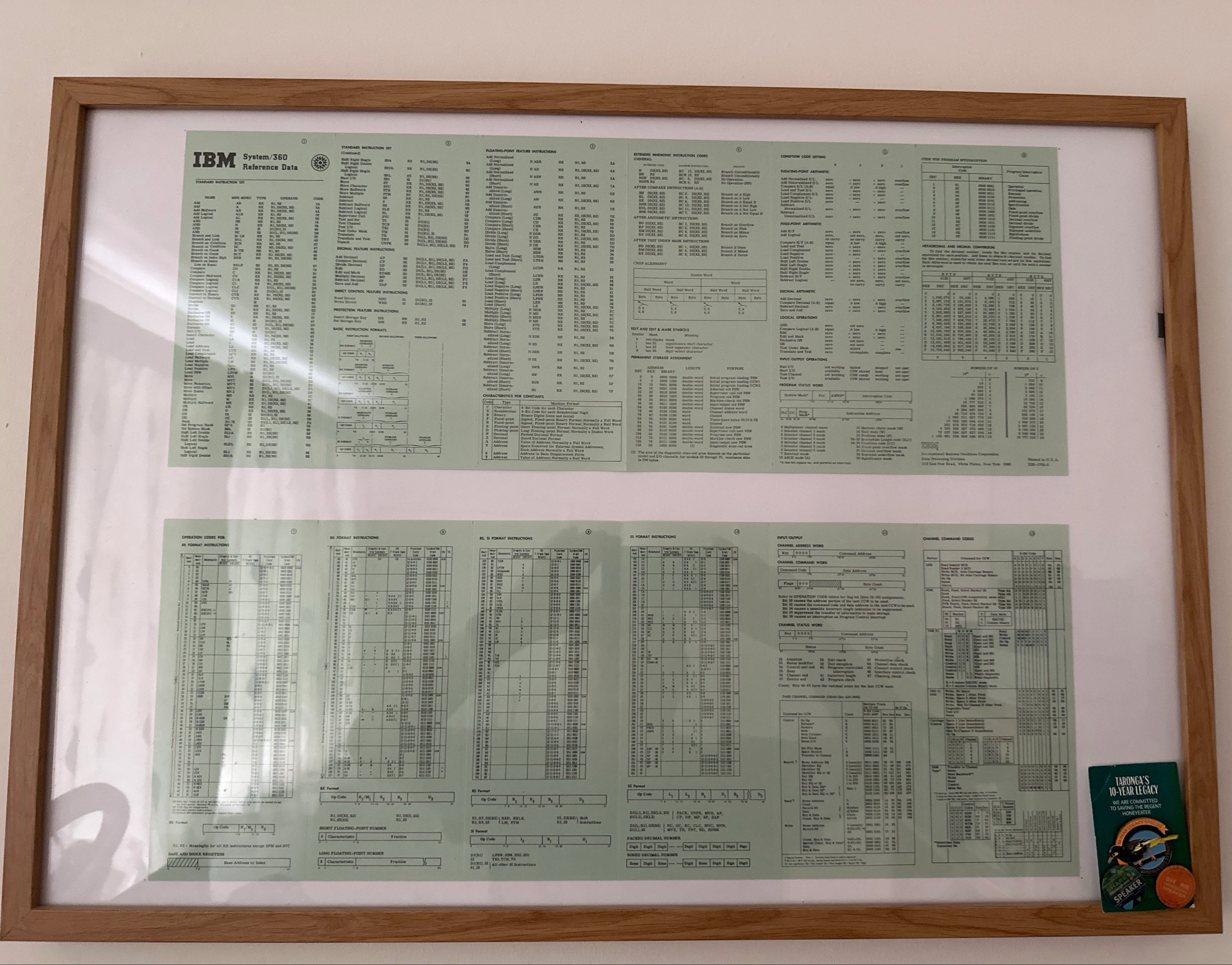
But let’s look at this another way: If I write an assembler exit routine and wrap it in DFSORT I get my I/O done for free. No more mucking with BSAM, QSAM or VSAM. Plus I get other “slice and dice” for free. So I’m highly likely to write the bulk of my assembler code as a DFSORT exit routine.
Some Useful Tips
As the title suggests, this post is about debugging techniques so here are some. They’re things I actually used in my most recent debugging session. I think they’re useful.
Do A COPY First
Build up your DFSORT application in stages, starting with a COPY:
OPTION COPY
This actually overrides eg SORT.
Once you’ve got the E15 exit working with COPY you can add in other elements, such as SORT, SUM, OUTFIL. Actually it’s as well to get the exit working with COPY before you add in INREC as well.
In general start at the beginning – the E15 exit – and work your way forwards, adding statements and refining them.
Stop After 1 Record To Begin With
It’s useful and quick to run with only 1 record being produced. In particular to make sure you can write a basic record.
OPTION STOPAFT=1
You can always write a small number of records – and this is diagnostically different from writing just 1:
OPTION STOPAFT=nnnn
I say that because the ability to loop over eg SMF sections in the input record isn’t trivial.
If you have a troublesome input record you might be able to avoid processing it – for now – with a combination of STOPAFT and SKIPREC:
OPTION SKIPREC=nnnn,STOPAFT=nnnn+1
Actually, this isn’t one I had to use this time but I have in the past.
Write Diagnostic Data Into Output Records
You can write anything you like into the record the E15 exit routine passes back to DFSORT. I, for example, wrote some register values into the record my code passed back. I did, of course, delete that debugging code once I’d got over the problem I was trying to solve.
It needn’t be registers, of course. It could be contents of storage areas.
Forcing An Abend Can Help
If you want to see the state of play at any point you can force an ABEND. Coding
ABEND 1
will get you an ABEND. But see below.
Code A SYSUDUMP DD
If you don’t you’ll get a SORTSNAP dump if the exit routine ABENDs which is rather short and doesn’t contain the input record nor any reformatted one, nor any other storage areas you might’ve GETMAINed.
If you do code a SYSUDUMP DD you’ll get a full dump. This is nice because:
- Doing a find for “RTM2WA” will get you to the registers at the time of the ABEND.
- You can see the address of the failing instruction and its offset into the exit load module.
- You can navigate to storage areas, such as the input record and any reformatted output record.
Maintain A DFSORT Symbols Convention
Always code a SYMNAMES input DD and SYMNOUT output DD.
And here’s the convention I’ve used:
- Map the input record using symbols that don’t start with an underscore.
- If you have an INREC then map the record that results from it with symbols that start with an underscore.
- If you additionally have an OUTREC then use a double underscore for the results of that.
And so on.
GETMAIN Your Working Storage
If you use working storage then GETMAIN it and hang the address off the user exit constant.
Storing into the instruction stream is not performant and this technique minimises that.
Of course you can use DSECTs to map such storage areas – as I do.
Write To The SPOOL
Early on write the output data (probably SORTOUT DD at this stage) to the SPOOL.
But don’t flood the SPOOL so restrict this to when you’re e.g. using STOPAFT.
This is a minor hint but it saves you flipping between ISPF 3.4 and SDSF to check both output aspects of the run:
- The output data
- Messages and Symbols information
Conclusion
That’s quite a kitbag of techniques. I will say that many of them have nothing to do with E15 exits or assembler; They make sense when developing any DFSORT application.
Behind The Scenes
If you’re going to write a blog post about debugging it’s advisable to do it as close to when you learnt the tips as possible. In fact most of the material for this post came from a mammoth debugging session this week – for SMF Type 74 Subtype 4. Still better would’ve been to have written it as I debugged – but the idea for the post emerged only during the session.
Then, a few days later, I decided it’d be a good idea to explain why you’d even want to write an E15 exit. It’s not good enough to say “if you know you know”.
Then again, another debugging session for a different SMF record (Type 30) a week later yielded a different tip.
And a pickiness point: I’ve tried to use the terms “exit point” and “exit routine” correctly. Generally one just says “exit” for both but I think that less clear.
 Mainframe, Performance, Topics
Interesting thanks,
Do you find these exits in DFSORT being used much in general batch systems or is it mostly you performance guys and SMF processing?
LikeLike
Thank you Tony. I would say customer-written DFSORT exits are rare. Most are vendor-written, including by DFSORT itself.
LikeLike