Screencast 13 – Topology Today

(Originally posted 2018-10-10.)

I can’t say I’ve learnt much about screencasting since I published Screencast 12 – Get WLM Set Up Right For DB2 but it’s certainly been a while. I have, of course, learnt quite a bit about other stuff.

So I just released Screencast 13 – Topology Today.

It pulls together a couple of use cases for the SMF 30 Usage Data Section. This section, as I’m sure I’ve said many times, gives lots of insight into how address spaces connect together. I’m using the term “Topology” as I really can’t think of a better one.

After some preamble I give two examples:

  1. CICS into DB2
  2. Batch into MQ (and also DB2)

It’s just under 10 minutes long – which is where each of the past three screencasts has been. If you were impatient and skipped past the introductory slides these two examples would make rather less sense.

Production Notes

This time, in Camtasia, I learnt how to fade to black. It took a few goes to get it right – and it basically involves dragging an effects “tile” over the section you want to fade over and then stretching the tile to control the fade out time.

Thankfully with this screencast I didn’t have the same issues with huffing and puffing in the audio: By ramping up my exercise over the past couple of months that issue has gone away, I’m pleased to say.

Mainframe Performance Topics Podcast Episode 19 “You’ve Lost That Syncing Feeling”

(Originally posted 2018-10-06.)

This summer has seen the most travel I think I’ve ever done, and I would imagine Marna feels much the same.

We like to record together – which has made the logistics difficult. We actually met in the summer but thought recording in the same room would be difficult. We’ve stayed with each other a number of times but don’t want to record in our houses because the sound quality would be poor: Wooden floors produce way too much echo.

A lot of water has flowed under the bridge in this time, of course. Which has yielded quite a few blog posts on both our parts. And one new feature…

The “What’s New” subtopic gives us a chance to point out announcements and things like APARs. It’s not meant to be encyclopaedic but just contain a few new things that took our fancy. It’s, as always, an experiment. It might move in the running order, we might can it, we might morph it. I doubt, though, that it will become a topic in its own right.

So, we’re back. We hope you enjoy this episode. And we think we have a good chance of recording more in the near future.

Here are the show notes.

Episode 19 “You’ve lost that syncing feeling”

Here are the show notes for Episode 19 “You’ve lost that syncing feeling”. The show is called this because our Topics topic is about losing the Xmarks URL synchronization tool.

Where we’ve been

This episode had a very long hiatus – more than 5 months – so we’ve been to many places and on vacation/holiday. Sorry we’ve taken so long to get back together to record! It is not through lack of trying!

Feedback

For once we have some follow up: With iOS 12 the built-in Podcast app now supports MP3 chapter markers. As many listeners on iOS will be using this app they might see chapters (and the nice graphics) show up. Still, though, Android podcast apps with correctly working chapter markers have not been found yet.

What’s New (in APARs)

  • OA56011: OSPROTECT Flag in RMF SMF 70

  • PH00582: New function to export a workflow in printable format, as a text file.

Mainframe

Our “Mainframe” topic discusses moving from V4 to V5 zFS, prompted by a user comment that had a very positive experience.

  • You need to be totally on z/OS V2.1 to use, but now is applicable to many since z/OS V2.1 is now end of service.

  • The old version for zFS was V4. V5 gives you a directory using a tree structure for faster searching. This should be faster than a naive linear search approach.

  • This topic was prompted by a customer comment.

    • XCF reduction: IOEZFS group 99%, SYSGRS group 80%

    • Significant CPU reduction in address spaces: XCFAS and GRS

  • To take advantage of this, you need to convert from old V4 format to V5. V5 file systems can have both V4 and V5 directories, however V5 dirs must be in a V5 file system.

  • You can convert: offline with IOEFSUTL, online with zfsadm convert , IOEFSPRM CONVERTTOV5=ON , and on MOUNT – you choose.

    • Steps are: ensure fully at V2.1, set IOEPRMxx format_aggrversion=5 for new file systems, set IOEPRMxx change_aggrversion_on_mount=on for fast safe file system switch to V5, determine if you want IOEPRMxx CONVERTTOV5=ON for one-time switch on directory access. Delay is expected!

    • If cannot tolerate one-time delay, use MOUNT CONVERTTOV5 to selectively determine most benefit, on large directories and those highest used (F ZFS,QUERY,FILESETS)

      • Use zfsadm fileinfo to see a directory version, use zfsadm aggrinfo -long to look at all the file systems.
    • New RMF zFS reports in 2.2 with helpful pop-ups

Performance

Our Performance topic is a survey of Licence-Related Instrumentation. Most shops are very conscious of software costs. The key evidences are licence agreement documents and instrumentation. Martin discusses the instrumentation portion.

  • SMF can help you:

    • System level SMF 70 gives you the rolling 4 Hour Average CPU, Defined Capacity and Group Capacity information, and high-level CPU.

    • System level SMF 89 gives you more detailed information on licencing: Product Usage – both names and CPU.

    • Service Class level SMF 72-3 gives you Service Units (SUs) consumed on zIIP, on general purpose CP, and zIIP-Eligible on general purpose CP.

      • Mobile SUs is one set of fields and total SUs another

      • Resource consumption in general

    • Address Space level SMF 30 gives you a Usage Data Section for topology and for CPU in a product sometimes. (An example of topology is which CICS regions connect to which DB2 subsystem.)

  • Container-Based Pricing introduces new metrics: 70-1, 89, 72-3, and Tenant Classes and Tenant Resource Groups explicitly document this.

  • Closing thoughts:

    • Licensing is getting more complex, and difficult to understand it all fluently.
    • It would be wise to become familiar with the instrumentation.
    • And it would be wise to understand aspects of software licensing that cause impact in your installation.

Topics

Our podcast “Topics” topic is about Marna losing a handy and simple URL sync tool, XMarks. Xmarks used to let you save bookmarks between browsers with other cool capabilities. It was discontinued on May 1, 2018.

  • XMarks was a plug-in to browser, logon, sync, and they were there! With multiple profiles, such as work and home.

  • Here are some replacements?

    • NetVibes: better for rss feeds and dashboard seem to be its strength.

    • Google Bookmarks syncs URLs; Haven’t used it really, but still only for Firefox and Chrome. Gmarks will connect to google servers. Some sites need IE.

      • Modern browsers can fake the User Agent to look like IE
    • Diigo with a toolbar: not used it. Pricing plans, sharing URLs. A bit too heavyweight

    • The promising one is called Raindrop for Chrome, FF, and Safari. Just started trying it out. Works between Windows and Android!

    • Safari / Mobile Safari use iCloud syncing and work out of the box. But if you share an Apple ID, watch out!

    • Input from listeners??

Where We’ll Be

Martin will be renewing his passport, so limited travel for him.

Marna will be at a couple of conferences:

We welcome feedback!

On The Blog

Martin and Marna have both had several blog posts due to our long hiatus from the podcast.

Martin has:

Marna has these:

Contacting Us

You can reach Marna on Twitter as mwalle and by email.

You can reach Martin on Twitter as martinpacker and by email.

Or you can leave a comment below.

MQ Batch CPU

(Originally posted 2018-09-23.)

This post is an update to Batch DB2 And MQ The Easy Way, which I wrote back in 2016.

There’s nothing wrong with what I wrote then – but there’s something extra I want to impart now.

In that post I said you can answer the question “What are the big CPU DB2 jobs accessing this DB2 subsystem?” If you substitute “MQ” for “DB2” you can answer the question “What are the big CPU MQ jobs accessing this MQ subsystem?” For MQ, always, you can go further – and that is what this post is all about. I’ll answer the question “why can’t you go further with DB2?” In a minute. But first things first.

A Further Question For MQ

The question I realised you can ask is “How much MQ CPU is there in this job step?” It’s subtly (and I think usefully) different from the question “How much CPU is there in this MQ job step?” We’ll see why this might matter in a minute.

In the SMF 30 Usage Data Section – as described in Batch DB2 And MQ The Easy Way – you can see which MQ subsystem the job step attaches to. But here’s the extra bit: You can also see the CPU in MQ the step uses.

If you subtract the MQ CPU from the Step CPU you, obviously, get the non-MQ CPU. So you can tell if a step is primarily MQ or not. This is helpful in working out where the real action is in a job step that accesses MQ. What you can’t tell this way is how much elapsed time is MQ related. For that you need the SMF 116 records. And these are rare.

I revisited this because we were doing a batch study when we spotted that one of the steps accessed MQ. There was a Usage Data Section that pointed – with the Product Qualifier – at a specific MQ subsystem.

It got my interest to the point I revisited our code and added some more columns to the table, including “Not Usage TCB Time”. Hence my comment above. I analysed this customer’s batch jobs accessing MQ. For some jobs – including the ones we spotted – the MQ CPU is over 90% of the step’s CPU. So it’s clear the step is essentially an MQ step. For others there is a considerable amount of non-MQ CPU, so this step is doing something more intensive than just putting messages on a queue or taking them off a queue.

I think this is a useful insight – whether a step is really “just MQ” or not.

Why Can’t We Do This For DB2?

DB2 has a “NO89” switch at the subsystem level. The impact of this is that DB2 won’t record TCB time in SMF 30 – if the “NO89” option is taken. To be clear, you still get step TCB and SRB times, just not DB2 TCB and SRB times in the Usage Data Section.

I have yet to see a customer that has enabled DB2 to record its CPU in the Usage Data Section. So I never see DB2 TCB in the Usage Data Section.

Of course, if you want to see DB2 TCB at a step level, you can get it in the DB2 Accounting Trace record (SMF 101). In fact you can get more detail – at the Package / Program level – if you turn on Package Accounting in DB2.

Conclusion

It’s nice to be able to look inside a step, particularly one where the elapsed time is hard to explain. For MQ you can definitely do it – at least for the CPU component – with SMF 30 and the MQ Usage Data Section. And the key thing is you can tell an intensively-MQ step from a not-so-MQish one. Another step forwards, if you’ll pardon the pun. 🙂

Appening 6 – Rescript NodeJS Environment

(Originally posted 2018-09-09.)

I have another flight where my Inbox is surprisingly close to empty so I’m writing about a nice iOS app that should be of interest to both mainframers and non-mainframers. This app is Rescript by Matteo Villa and it is a javascript programming environment for iPad and iPhone. It, most particularly, allows you to run Node.js on iOS. You can develop and test your scripts anywhere, including at 37,000 feet with no network.

The current version includes Node.js runtime version 8.6.0. I’m expecting the developer will update the app as new releases of Node become available.

The free version of the app allows you to run lots of Node apps. With an in-app purchase you can, most notably, use additional UI and Share modules. These talk to iOS specifically, so your scripts can interact with the device and other apps. The free app is ad-supported, so that might be another reason to pay a small amount of money to the developer.

What Is Node?

Node is a server-side javascript runtime and set of modules. This means that, unlike browser-side javascript, it runs on a server. Which in this case could even be a phone. 🙂 If you’re used to client/browser-side javascript it shouldn’t be much of a stretch to embrace Node.

The programming model, as distinct from the javascript language, is quite different from that you’d experience if you were developing for the browser. But that isn’t a difficult transition.

Here’s a short example that implements a simple web server, from a sample included with Rescript:

const http = require('http')

let server = http.createServer((req, res) => {
    res.writeHead(200, {'Content-Type': 'text/html'});

    let content = ‘
    <html>
    <head>
    <meta name="viewport" content="width=device-width, initial-scale=1">
    </head>
    <body>
    <h1>Hello from Rescript!</h1>
    </body>
    </html>
    ‘
    res.write(content);
    res.end();
})

server.listen(8080,() => {
    console.log('Node.js server is ready, listening on http://localhost:8080');
})

Without taking you through it line by line, there being many Node tutorials around, I would note the vast majority of this code is a character string full of the HTML that would actually be served.

In almost any environment, you could point your. browser at localhost (or 127.0.0.1) and the HTML would be served.

So far I’ve installed Node on Linux, on my iPhone, my iPad, my MacBook Pro, and my Raspberry Pi. It’s simple to install and lots of modules are available for it.

The javascript implementation is based on Google’s V8 interpreter which was designed to be fast. I won’t get into a “browser / javascript engine wars” discussion but all sensible modern javascript interpreters are much faster than they once were. For most applications, javascript is plenty fast enough.

It’s also worth pointing out that Node can act as a web client, for example using the node-fetch module. It can also handle server-side things like files.

You can also create your own modules and, through Node Package Manager (NPM), distribute them.

Rescript

Rescript is a very new app at the time of writing, but it shows lots of promise.

The app comprises three panes:

  • On the left a document picker.
  • In the middle the editing pane.
  • On the right a combination Console / Output / Help pane.

While the examples are a little sparse, there are plenty of examples and tutorials on the web. Plus there is a book “Node.js Up And Running” published by O’Reilly. I have it open side by side on my iPad with Rescript. So, that’s a nice use of Split Screen – a key modern iPad feature.

However, this reliance on the web is a little problematic at 37,000 feet (or wherever you find yourself out of Internet). I mention this because in the Settings dialog are links to a number of open source libraries included in Rescript. But these links are to the web. Also the help is a mixture of built-in information and links to the web. For example the javascript and Node.js links are to the web and don’t work in an aeroplane (for most of us). It would be nice to see a bit more information – really for beginners – locally cached. I realise this is a nit but it might be important to a beginner’s experience. Actually the built in information is nice. And the modules provided by Rescript are indeed available within the app, without network connectivity.

I didn’t find a way to see the source of the Node libraries included with Rescript. I don’t think this is a problem, however, as you’re supposed to code to the APIs, rather than examining the source code. But if you were intent on contributing to these libraries you might well feel different.

I wouldn’t say that Rescript is a full function IDE but it does have syntax colouring, which helps catch errors. But, frankly, most of my javascript development has been done with nothing more than a text editor. Some people like code folding, for example hiding the body of a javascript function. Personally I don’t tend to use it, perhaps as my slabs of code tend to be quite small, but I think it would be a nice edition.

Another thing – available in a full IDE – is code completion based on the Node modules brought in by require(). I think this is a tall order, though.

So, my experience of Rescript is good, despite the nits I mentioned above.

While I haven’t developed any User-Interface (UI) based apps I’ve run the samples and nosed through the code. Unless you point your browser at localhost you’re not going to see HTML and might well be building scripts that use the UI module. You might also use some of the iOS-specific modules.

One I did try was the iOS share sheet capability – which is only available in the paid version.

I mentioned NPM above. I would like to see some NPM capability, if that’s possible.

The help mentions a number of keyboard shortcuts. If you have an iPad you might not have an external keyboard so these wouldn’t help you. More than 99% of the time I use my iPad with an external keyboard so I appreciate these.

The help also tells me I can invoke a Rescript script from a share sheet in another app. This is nice to see. What I haven’t seen is any support for URL schemes. I’m thinking of x-callback-url in particular. I hope this comes as it would allow Rescript to be invoked from other apps as part of some sophisticated automation.

Another nit is that I didn’t find a way to resize the side panels. Particularly for the help, I would have liked that.

Integration With Other iOS Apps – Via The Share Sheet

As I said, I experimented with the share module.

First, I tried Rescript as a “client” – where a Node script pops up the iOS share sheet. Here is a very simple example:

let share=require('share')

share.shareText('Blah\nblah\nblah')

If you run this very short script it does indeed pop up the share sheet, and the text in the shareText call is indeed passed in.

Now here’s Rescript as a “server” – where a Node script accepts text.

let share=require('share')

console.log(share.getText())

As with most share sheet extensions you have to enable them in the share sheet – but that’s merely flipping a switch.

In Workflow (being reborn as Shortcuts in iOS 12) you nominate a workflow to be usable in the share sheet within the Workflow app – when you edit the workflow. In contrast you nominate Rescript scripts to be usable in the share sheet when you invoke the Rescript extension. But it remembers what you did so it’s a one time setup.

Anyway, when you open the iOS share sheet from another app with some text selected you can pass it to a specific Rescript script. With the console.logfunction it writes the output to a pop up window. There are two things you can do with that output, if you select some or all of the text:

  • You can cut the selected text to the iOS clipboard.
  • You can invoke the share sheet again with the selected text.

The net of this is that Rescript scripts can participate nicely in workflows involving other apps and the iOS share sheet.

By the way, the clipboard module allows you to read from and write to the clipboard.

Drafts And Rescript

In Appening 5 – Drafts On iOS I talked about another javascript environment on iOS. There are some key differences. Which you want depends on what you’re trying to do. Personally I have both and use them for distinctly different things:

  • Drafts is all about capturing text and processing it, with javascript supporting that through automation.
  • Rescript is all about Node.js and could also be used for automation. If your interest is primarily Node then you’d probably want Rescript.

I would say that javascript is a language that is really worth learning now, with many environments for running it. An increasing number are on iOS. And if you can get to both the relevant book and the development environment being on screen at the same time – through Split Screen – that’s a nice position to be in. Even if you are at 37,000 feet.

Conclusion

I’m very happy with this app but think, as with all new apps, it could get even better. As to whether to pay for the app, I think think the £3.99 I spent was good value for money – particularly as the modules included with the paid version add significant function. But, if your interest in Node is very light, you might be happy with the free version.

In any case, I hope Matteo (@mttvll on Twitter) keeps developing Rescript. My areas of improvements are, I think nits, and I’m just bowled over to be able to run Node on my iPhone and especially my iPad. And to have the nice “iOS integration” extension modules he’s built.

Day One Support; Who Needs It?

(Originally posted 2018-07-28.)

It’s the Time Of The Season1 for thinking about Day One support. Not for z/OS, or DB2, or CICS, or anything mainframe-related. But for iOS, MacOS and their kin.

Before you switch off – if you’re an Android user2 – you can consider the Apple bit an analogue. This post will be light on technical detail, and heavier on developers’ approaches. It might even stimulate some discussion about z/OS.

So, it’s a month or so since Apple announced new iOS, MacOS, etc releases at their Worldwide Developer Conference (WWDC) and developers (and foolish / brave non-developers) have run betas. Several betas, in fact.

Part of the point is to prepare their products for General Availability3. And developers’ approaches to that is what this post is about.

So, you can see this might have some relevance to z/OS and its vendor ecosystem.

Approaches To Day One

As I look around at the many iOS, WatchOS, and MacOS apps I have I see a number of approaches from the various developers. Here are a few examples:

  • I’m beta’ing releases of Drafts (mentioned in Appening 5 – Drafts On iOS). Already the sole developer is experimentally introducing exploitation of the new Siri Shortcuts feature.
  • I use a podcast client called Overcast. The sole developer – Marco Arment – is rebuilding his WatchOS app to use the new iOS 5 audio playback capabilities.
  • I’ve yet to hear much from the Omni Group but they indicated they were clearing the decks for whatever Apple threw at them – which is a good sign.
  • I’m hearing rumblings that some of the MacOS apps I depend on – some IBM, some not – won’t Day One support the new Mojave MacOS release.
  • There are plenty of apps on my iOS devices that already won’t run – because the developer never updated them to run on iOS 11. The technical point here is they must be 64-Bit. I consider these – 1 year in – as “abandonware” though I wish Apple did a better job of enabling me to dispose of them.

Through these various approaches and stances runs a theme: I’ve emphasized the words “sole” and “Group” for a reason.

  • The sole developers, Greg and Marco, are moving fast and experimenting with exploitation.
  • Casting no aspersions whatsoever, I see Omnigroup saying little. But I am jolly sure they are working on stuff for the apps I rely on: Omnifocus and OmniGraffle (and the others of theirs I’m not so reliant on). I’m confident for two reasons: Attitude and Track Record.

In Enterprise we might well appreciate the “more planned” approach Omni Group are taking. In the consumer space not quite so much.

But, back in 2014, I wrote in And Just Complain:

Mobile users, though, have no real understanding of how the service is provided and don’t really care (and nor should they.) So I think they can be characterised as much less patient and much less tolerant of service issues, and that’s fine.

So, assumptions of tolerance of errors and issues is in limited supply everywhere.

What Do You Need?

There’s obviously a lot of Marketing value to being able to claim “Day One” support – for some markets. So, from a developer’s point of view, something close to Day One support is important. In “real world” terms there’s another point for developers: They really don’t want to field “iOS 124 broke your app” issues.

For the vendor – Apple or IBM – it’s great to have customers able to adopt their new release on Day One. In reality, though, many customers will want to skip early life and the “pioneer cost” issues5 that brings.

A few days ago (as I write this) was World Emoji Day. The relevance of World Emoji Day is surprisingly high: Each year on this day the Emoji standards body releases the new emoji for the year6. Apple traditionally supports these on the first point release after a new version of iOS or MacOS. That’s also where the first batch of “settling in” fixes are delivered for an iOS version. It might seem superficial but getting people to install this point release is a lot easier if there are new emoji to play with.7

And what about us, hapless punters that we are? 🙂 Some of us are insanely 🙂 keen to install the new operating system level on the day of release. I’m not consistently 🙂 one of those. But pretty close.

When I review the myriad material coming out of WWDC, I take note of the new things8. But I consider what the operating system vendor ships as being “one shoe dropping”. I’m really looking forward to the other shoe dropping: What the app vendors ship.

But, of course, z/OS is different, or rather its customers are. Very few will install a new z/OS release at GA, for example. But they would like to know that all their products – whether vendor or IBM – work well before they need them to.

Exploitation might well be a different thing; My suspicion is most customers are less worried about exploitation. Though, if you ask them, quite a few customers will reply “I’m really looking forward to x”.

There is a whole interesting side conversation to be had about what drives customers to upgrade, quite apart from exploitation. Maybe another time. But, even if you’re just upgrading because you have to, it’s still important to know stuff continues to work. If you are a “Last Day Upgrader” (to coin a phrase) the chances are that vendor and IBM products will have introduced toleration.

But I still get excited at reading announcement material and learning about new functions.


  1. Cultural reference. :–)  ↩

  2. Or a reluctant Apple user. :–)  ↩

  3. That, of course, is an IBM term; I’m not sure what Apple call it.  ↩

  4. Or z/OS 2.3, for that matter.  ↩

  5. Whether bugs, or usability, or Performance, or whatever.  ↩

  6. Over 150 this year, taking the total to almost 3,000.  ↩

  7. Imagine I send you an emoji of a platypus playing billiards :–) and all you get is some “dunno, mate” indicator like a question mark. In theory you’d want to upgrade just to get my message in its full, ahem, glory. :–) 9  ↩

  8. And there are a lot of nice things this time round.  ↩

  9. Emoji rendering design and evolution is actually quite an interesting topic in its own right.  ↩

Ethel The Frog And Other Animals

(Originally posted 2018-07-26.)

“Mum!” came the cry in the middle of the night. You can imagine how well that was received.1

“There’s a frog in the bathroom!” shouted my daughter. Indignant or horrified, you decide. 🙂

So, a number of thoughts occurred:

  • It can’t do us any harm; It’s tiny and probably more scared of us than any of us are of it.
  • Picking it up is not an option; It could be poisonous to touch and probably wouldn’t stay on the plastic safety briefing, even if we got it onto it.
  • The lizard we saw in the afternoon in the room escaped as soon as we opened the door. Frogs are at least as smart as lizards… 🙂
  • We’re probably not going to tread on it – unless we’re colossally clumsy or stupid.
  • Shampoo and shower gel are probably not good for a frog, but otherwise I don’t mind sharing the shower with it. 🙂

Also uttered was “Mum! Why did you let the frog in?” 🙂

Of course the frog was gone2 in the morning.

Meanwhile, as I write this on the balcony of our room, there’s a wallaby a few feet below us, foraging3; It knows we’re here but it really doesn’t care. Respect!


  1. Fortunately there were no other guests in the cabin, despite there being 5 other rooms. 🙂

  2. For Some Value Of (FSVO) “gone”. 🙂

  3. And we’re discussing how it eats, right now. 🙂 Sometimes it doesn’t put its front paws down, presumably balancing using its big tail. Or its long feet.

Appening 5 – Drafts On iOS

(Originally posted 2018-07-09.)

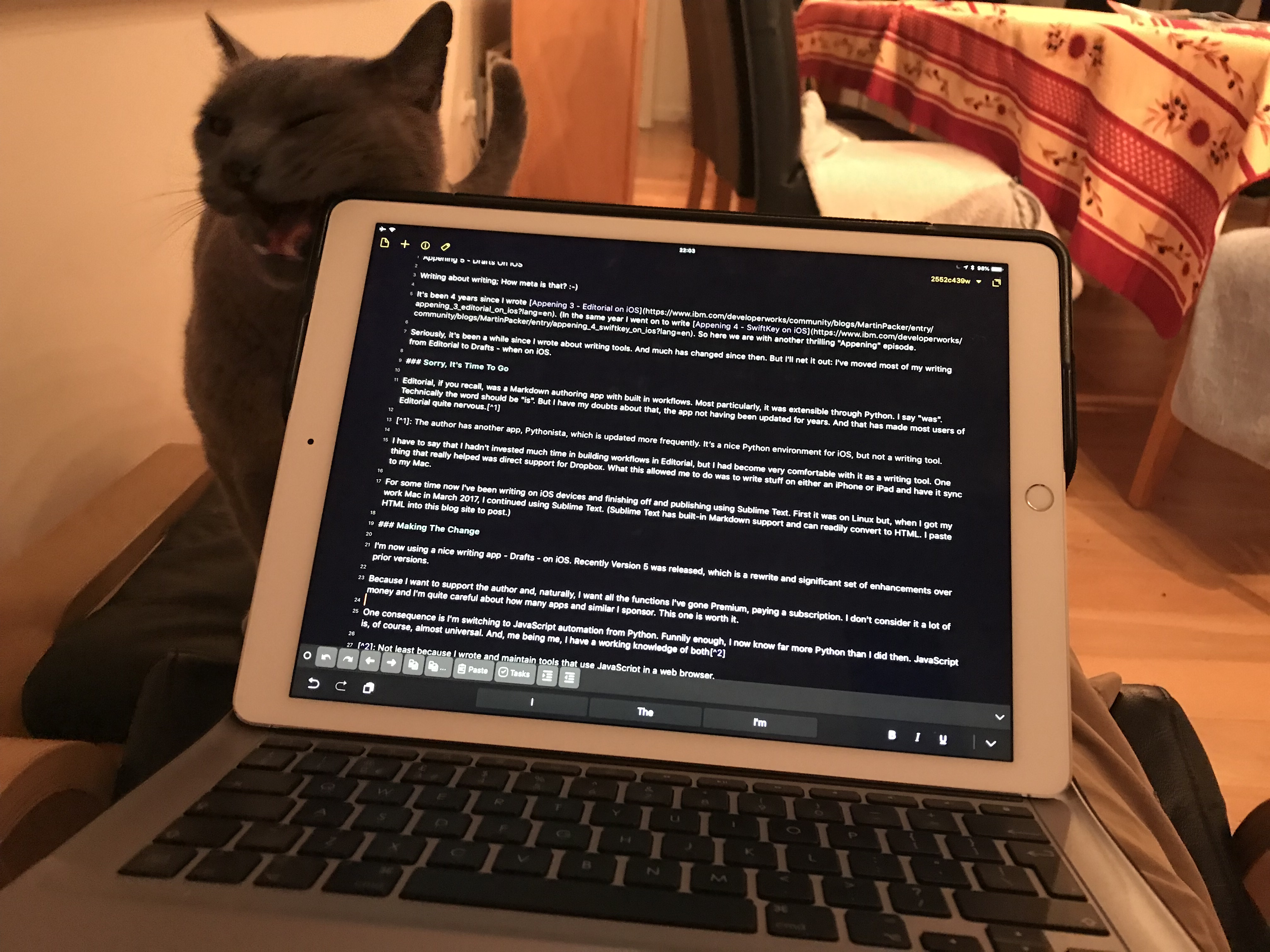
Writing about writing; How meta is that? 🙂

It’s been 4 years since I wrote Appening 3 – Editorial on iOS. (In the same year I went on to write Appening 4 – SwiftKey on iOS. So here we are with another thrilling “Appening” episode.)

Seriously, it’s been a while since I wrote about writing tools. And much has changed since then. But I’ll net it out: I’ve moved most of my writing from Editorial to Drafts – when on iOS.

Sorry, It’s Time To Go

Editorial, if you recall, was a Markdown authoring app with built in workflows. Most particularly, it was extensible through Python. I say “was”. Technically the word should be “is”. But I have my doubts about that, the app not having been updated for years. And that has made most users of Editorial quite nervous.1

I have to say that I hadn’t invested much time in building workflows in Editorial, but I had become very comfortable with it as a writing tool. One thing that really helped was direct support for Dropbox. What this allowed me to do was to write stuff on either an iPhone or iPad and have it sync to my Mac. And, though I’m not big on pictures in my posts, it could retrieve images from Dropbox when previewing.

For some time now I’ve been writing on iOS devices and finishing off and publishing using Sublime Text. First it was on Linux but, when I got my work Mac in March 2017, I continued using Sublime Text. (Sublime Text has built-in Markdown support and can readily convert to HTML. I paste HTML into this blog site to post.)

Making The Change

I’m now using a nice writing app – Drafts – on iOS. Recently Version 5 was released, which is a rewrite and has a significant set of enhancements over prior versions.

Because I want to support the author and, naturally, I want all the functions2 I’ve gone Premium, paying a subscription. I don’t consider it a lot of money and I’m quite careful about how many apps and similar I sponsor. This one is worth it.

One consequence is I’m switching to JavaScript automation from Python. Funnily enough, I now know far more Python than I did then. JavaScript is, of course, almost universal. And, me being me, I have a working knowledge of both3.

There are quite a few workflows available for Drafts, some written in JavaScript and some using composable building blocks. In that way it’s similar to Editorial. One I’ve used in this very post is one that makes footnote creation a snap4.

Another one is Markdown Preview – which uses a HTML Preview built in stage. What’s nice about this is it uses an HTML template I can modify. This, as any Drafts workflow could, has placeholders for e.g. the first line of text. Which I think is rather nice.

If you were considering using Drafts as a writing tool you should be aware of one limitation. Recall the bit about Editorial embedding images when previewing Markdown? I haven’t found a way of making Drafts do that. As I finish off writing in Sublime Text – and my images will make it to the Mac anyway – this is only a minor annoyance for me. But if you were doing everything on iOS it might put you off.

Data Input Everywhere

Drafts for many is a “first capture” app for text. The expectation being that you move the text elsewhere. What might be debatable is how late in the text curation process you move it (if at all).

I’m writing this in Drafts right now, using an iPad with an external keyboard. I don’t intend to move it until I’m more or less done with it. I can, through its syncing, continue to edit it on my iPhone. In fact I’ve done that on previous blog posts.

As you can see, sometimes I get some “help” with my writing. 🙂

One of the nice features is that I can capture text by dictating into my Apple Watch. I wouldn’t use that for more than a sentence or two, though. Once dictated, it syncs to Drafts on the iPhone and hence to the iPad.

Actually, through the wonders of the Workflow app (soon to be Shortcuts in iOS12) and x-callback-url inter-app linkage, I can get text into Drafts a number of different ways.

I just like the idea I can get text into it any number of different ways.

Parting Thoughts About Writing

Sometimes my posts start with a title (usually with a bad pun in it). Sometimes they start with a one line notion. At one point I thought that if that was all the payload I shouldn’t bother writing posts but should just tweet. That was 10 years ago and I now know I have rather more to say. In fact I do both; You might’ve noticed that one-liners in tweets turn into pieces of posts.

Anyway, the point is “just get writing, no matter how garbage you think it will be” seems like a reasonable mantra. And I think I need to deliver that to my mentees, as they have points of view to get out.

The other point, and this is what this post is really about, would be this: Be prepared to shake up your writing tools every so often, as new possibilities open up. Particularly ones that mean you can capture ideas anywhere. Technically, that could even be in the bath, with the advent of waterproof phones. 🙂

Most of all, have fun with writing! Now get on with it. 🙂


  1. The author has another app, Pythonista, which is updated more frequently. It’s a nice Python environment for iOS, but not a writing tool. 

  2. I want it all, and I want it now. 🙂 

  3. Not least because I wrote and maintain tools that use JavaScript in a web browser. 

  4. Which some readers might wish I hadn’t installed. 🙂 

CICS Takes The Liberty

(Originally posted 2018-07-07.)

Sometimes I can plan ahead, designing analysis code for an upcoming feature of e.g. z/OS. Often, however, a condition falls into my lap – without my having thought about it first. This is about the latter.

It’s about CICS’ support of Java Liberty Profile – or “Lib Profile” for short.

I want to talk about two things:

  1. How to detect a CICS region is running the Lib Profile – without using CICS instrumentation.
  2. What else you might see from non-CICS instrumentation when that is the case.

I discovered, inadvertently, that a recent customer’s 4 Production LPARs each had a pair of CICS regions running Lib Profile. These happen to be small regions right now, so their performance numbers are small. But, that’s enough to get me sensitised to the topic of this post.

What Is CICS Liberty Profile?

Real CICS people, get your cringing / sniggering over now. 🙂 But do feel free to “well actually”1 me.

Let’s divide this into two questions:

  1. What is Liberty Profile?
  2. How does this apply to CICS?

Liberty Profile

WebSphere Application Server (WAS) V8.5 introduced Lib Profile – enabling lightweight java servers, with a quick startup time and a small footprint. It also has configurability – through its (XML) server configuration.

There’s also a strong standards-based flavour to it, through OSGi2.

It has less function than the full-function WAS java profile, though selectability (through server.xml) allows you to add from a bunch of functions.

But Lib Profile is not just about WAS. In z/OS 2.1, z/OSMF was reworked to use Lib Profile. So this makes z/OSMF much more consumable – as its footprint and startup times are improved.

CICS Support For Liberty Profile

CICS support for Lib Profile was introduced in 5.1 and enhanced thereafter. Basically you can run Lib Profile applications in a CICS region.

If you want a deeper treatment read the IBM CICS and Liberty: What You Need To Know Redbook.

One thing I note is this Redbook mentions setup considerations for both Type 2 and Type 4 JDBC drivers. To state the obvious the “J” stands for “java”. I’ll mention DB2 in a bit.

Detecting CICS Regions With Liberty Profile

So, I got SMF 30 Interval data from a customer. As loyal readers3 will know, I use the Usage Data Section data to discern what I can about individual address spaces. Mostly this is software level and topology information. More on both of these presently.

My code, for quite a few years now, has detected CICS regions. In this customer there were many and the “DFHSIP” Usage Data Section says CICS TS 5.3. It also mentions DB2 and MQ. So far so good.

I wrote the code in an “open minded” way – so any usage data will show up, including that from some other vendors.4

Now, this is where it got interesting. Of the many CICS regions, 8 showed a ‘CICS LIBERTY’ data section. 2 on each of their 4 cloned5 LPARs.

This customer has a good CICS naming convention – and these 8 regions followed that, with the LPAR letter embedded in the region name. In this case all 8 regions’ names ended with “J”. Might be the beginnings of an evolution of the naming convention, but I digress.

The point is, the presence of ‘CICS LIBERTY’ in a Usage Data Section tells you the region is using Lib Profile.

Other Numbers You Can See

In many ways these regions are just normal CICS regions. So, I would expect connections to DB2 and MQ to show up in their own Usage Data Sections. Indeed the above-mentioned Redbook makes the point you have to set up the standard CICS/DB2 and CICS/MQ machinery first.

And I do see MQ and DB2 connections for these regions, complete with their versions and subsystem names.

As these are small, I gather under development, regions I’m not surprised the numbers are small. So, the zIIP-eligible CPU for each region is about 0.3% of a processor. The non-zIIP portion is about 0.1%. Like I said, small regions.

So, I would expect that 3:1 zIIP:GCP ratio to be about right, scaled up. But I’m guessing. Recall JNI code and the like wouldn’t be zIIP-eligible. But the application code ought to be. But at least this is readily measurable.

Another thing that is measurable is ZFS / HFS I/O, Pipe I/O etc – as detailed here.

In these regions I only see a relatively small amount of file system I/O. I would expect to see quite a bit more for busier regions. The EXCP counts are modest, too.

Virtual Storage

Virtual storage is an interesting one. You can see allocated virtual storage in the three obvious areas:

  • 24-bit (below the line)
  • 31-bit (below the bar)
  • 64-bit (above the bar)

It’s uncommon these days to see signs of constraint below the bar but the other two warrant some attention. But recall this is allocated virtual memory. There’s nothing in SMF 30 to document how it’s actually used.

For CICS, I would view 31- and 64-bit memory differently.

  • For 31-bit I’d be concerned about running out of it.
  • For 64-bit I’d just be interested in how much exploitation.

Of course, virtual memory accessed turns into real memory used – at least to a first approximation.

So let’s look at one of these regions, from the virtual storage point of view.

  • These regions tend to be close to the 31-bit limit of 1477MB. But I would just say that reflects allocations, not suballocations. I’d want to have some CICS statistics to really nail that.
  • The 64-bit usage is about 1.5GB apiece. This reflects a sizeable heap and also the fact this is a 64-bit JVM. By the way the MEMLIMIT is 64GB, set by JCL.

By the way, other writings of mine on the subject of virtual storage include How I Look At Virtual Storage and, from 2004, DB2 Virtual Storage – The Journey Continues.

Conclusion

I’m going to repeat something I’ve often said: The beauty of SMF 30 is that it is scalable. Meaning that you can work with arbitrarily large numbers of address spaces, from many systems. In other words your entire z/OS estate. Something which isn’t true of middleware-specific instrumentation. Few people object to sending me SMF 30; Most are wary of sending middleware-specific SMF across the board.

The aim of this post is to show, yet again, how you can use SMF 30 to scan your CICS regions, bringing the relevant ones to life – at least a little bit.

One thing I’d like to see – and I don’t know how feasible this is – is an encoding of Lib Profile level in the Usage Data Section. Today there is no real clue – with the product number being “0000-000”. But then mangling e.g. ‘16.0.0.3’ into 8 characters might be difficult. Actually that’s an easy one… 🙂


  1. I like the verbing of “well actually”. I’ve heard it on numerous podcasts. It might be English. 🙂 

  2. Open Services Gateway Initiative 

  3. And whatever-you-ares 🙂 of some of my presentations. 

  4. The support for Usage Data Section information varies by vendor. Indeed quite a few IBM products don’t play this game. This isn’t a criticism, but more an indication of the way software licensing works – which is the primary purpose of the Usage Data Section. 

  5. More or less, but ain’t that always the way. Here an additional “DDF only” DB2 subsystem showed up on one of the LPARs, for example. 

More Mobile

(Originally posted 2018-06-25.)

This post follows on from something I mentioned in When Reality Bytes. Some things I get to immediately; Others take a little time. This is one of the latter.

A more systematic, better, way for classifying work as Mobile was introduced with APARs OA47072 for WLM and OA48466 for RMF in December 2015.

Some months ago I mapped the SMF record improvements OA48466 brought. But I had no data to test the mapping with. Very recently, however, I had the opportunity to develop reporting to go with it. (A recent engagement had a strong Mobile component.) Often a few records are enough to test mappings with. But to begin to develop reporting takes “real world” data. Such is the process.

Mobile Work Classification With OA48466

As I mentioned in When Reality Bytes a new WLM construct was introduced: Reporting Attribute. To classify work as Mobile you simply scroll to the right (enough times) and type in MOBILE in the Reporting Attribute field.1

Of course, planning and getting to that stage takes some doing. But it’s a lot better than previous schemes involving detailed transaction (SMF 110 CICS Monitor Trace, for instance) reporting. Or dedicated Mobile regions or even LPARs.2

And ensuring your application folks, or whoever, identify to you a workload as Mobile, remains an organisational challenge.

System-Level Reporting

So, suppose you’ve successfully implemented the new style of Mobile reporting. What do you see at the system level?

In SMF 70 you immediately get a useful new field: SMF70LACM. If you spotted this field before you’ll’ve noted the rather opaque description of the field. But now the description has been clarified.

It’s the long term Mobile MSUs3. The words “long term” are also used in the description of field SMF70LAC – the headline MSUs consumed by the LPAR. But what does “long term” mean? It means “rolling four hour average” – and is therefore a smoothed value relative to the RMF interval. SMF70LACM is analogous to SMF70LAC – but for Mobile.

My reporting for this field is graphical. It’s not difficult to plot Mobile and headline as series on the same time-of-day graph. In my code, this includes lines for Category A and B MSUs, as outlined below. The graph in its entirety, and the series included, depend on non-zero values in the relevant fields. For me this is the first indication that e.g. Mobile is in play in the LPAR.

Workload-Level Reporting

At the workload level this APAR produces a lot of useful detail. Here the numbers are service units, rather than MSUs. Obviously, you can divide by the interval to get SUs/second.

I choose to report on this using a shift-level average. This is because I don’t want to create and arbitrarily large number of graphs.

Because the data is available for both service classes and report classes I tabulate both. In at least the data I have the correlation between the two is interesting.

For each type – headline, Mobile, Category A, and Category B – you get GCP, zIIP and zIIP-on-GCP service units.4

Category A / B

Both the system-level and workload-level numbers for Mobile have analogues for the mysterious “Category A” and “Category B” cases. I’ve not seen actual cases where these have been used. But my reporting includes them smartly5 – so I would readily detect their presence.

Category A and Category B behave identically to Mobile. Tenant Resource Groups are quite different- both in setup and RMF.

Conclusion

This might be stating the obvious but you only get the new fields if you’re using the new method of classifying work as Mobile. These new fields are beneficial as they enable you to track Mobile usage, including which service classes are using it.

Because I already know the customer whose data I’m testing with well, there aren’t astonishing insights this time round. For future engagements I expect to find this data a useful introduction to their Mobile setup.

And continuing the “More Mobile” theme, this post was composed in a very Mobile way – on an iPhone using the very excellent Drafts 5 app. 🙂


  1. I would imagine this isn’t case sensitive. 

  2. Of course, you might keep or create these for architectural reasons. 

  3. MSU stands for Millions Of Service Units. 

  4. Not memory or I/O. 

  5. This means my code suppresses the “nothing to see here” cases entirely. 

Rexx’Em

(Originally posted 2018-05-29.)

In a sense this post follows on from I Must Be Mad – where I talked about some of the subtleties of processing SMF. In another sense it’s writing down in public a briefing I want to give one of my mentees.1

She’s about to prototype some code to go against a record subtype we’ve not handled before. In fact we throw any records of this subtype away – today.

Rewind…

… all the way back to a z/OS 2.1 presentation my friend and co-conspirator Marna Walle gave in 2013. (I had to look that one up.) 🙂

In it she mentioned z/OS TSO REXX being able to process Variable Blocked Spanned (VBS) data. The best use case for this is, of course, SMF.

I was delighted to see this support. But I’ve done nothing with it until now.

Scroll Forwards2

Actually I have some REXX code that processes SMF but I don’t really like it: It copies SMF 70-1 to a VB (not Spanned) data set and then a REXX exec processes this data. There’s a very good reason for not liking this: It risks truncating records. SMF 70-1 records can be very long, so this is a potentially serious problem.

So, processing VBS would avoid the VBS-to-VB copy and eliminate the risk of breakage.

The rest of this post is about some of the coding techniques for processing SMF with REXX. I actually developed them while processing SMF in VB format, but they are equally valid with VBS.

Processing SMF With REXX

While REXX is reasonably fast, I wouldn’t use it for high volume record types. My use case was extracting the LPARs on a machine which are deactivated. You get this from SMF 70-1 where the Logical Partition Data Section says there are no Logical Processor Data Sections.

This is a low volume case – as 70-1 records are only generated on an RMF interval and there are relatively few of them. My code processes 70-1 in a second or two.

Record Offsets Versus REXX Variable Substrings

This is probably the area that has the greatest potential to cause confusion:

  • Records begin at Offset 0, including the 4-byte Record Descriptor Word3 (RDW). So the first byte of data after the RDW is at Offset 4.
  • In a REXX string the first byte is at Position 1. When REXX reads the record with EXECIO the RDW is discarded. The position is used when extracting substrings – with substr().

So, to convert offsets to positions you subtract 3.

There are a couple of approaches:

  1. Keep the “subtract 3” thing in your head. (Or use a routine.)
  2. Prepend 3 bytes and use position as if it were offset.

In my code I chose the former – without the benefit of a conversion routine.

Extracting The SMFID

Because the SMFID is at offset 14, and bearing in mind the “subtract 3” point, you can extract it from a record in a variable with:

smfid=substr(myRecord,11,4)

It’s a 4-byte character string – so it needs no further processing.

Parsing Triplets

A section is a portion of the record with a fixed layout – and hence a fixed length. There might be more than one of a given layout.

Sections within a record are pointed to by data structures called triplets. As the name suggests, they consist of three fields:

  • 4-byte offset – how far into the record the first section of this type starts
  • 2-byte length – how long every section of this type is
  • 2-byte count – how many sections of this type there are

To get to the sections of a given type you use the offset and then process them linearly, using the length to extract them, and to skip to the next.

In the SMF record header is a vector of triplets. So, for example, in SMF 70 Subtype 1 the vector starts at offset 28. The first few triplets in the vector are:

  • 28 ( X‘1C’ ) – RMF Product Section
  • 36 ( X‘24’ ) – CPU Control Section
  • 44 ( X‘2C’ ) – CPU Data Section

When I process a section I extract all three portions of the triplet separately:

/* Extract CPU Control Section position, length and count */
ccs=c2d(substr(myRecord,33,4))                              
ccl=c2d(substr(myRecord,37,2))                              
ccn=c2d(substr(myRecord,39,2))

Reminder: The control section starts at position 33 in the variable – which is offset 36.

Processing A Section

I extract the first (and only) CPU Control Section itself:

section=substr(myRecord,ccs-3,ccl)

I’ve used the offset and the length in this substring operation.

Here offset 0 in the section is at position 1:

/* Extract Plant Of Manufacture */
pom=strip(substr(section,75,4))

In the above the “pom” field is at offset 74 for 4 in the CPU Control Section. I use strip to remove any white space. In reality the Plant Of Manufacture is a character string like “51” (Poughkeepsie) or “84” (Singapore).

The Machine Serial Number is a bit more complex to extract:

csc=substr(substr(section,79,16),12,5)

In principle it’s a 16-byte character string, starting at offset 78 in the CPU Control Section. In practice it’s only the last 5 characters we want. Hence the second substr call.

Handling numeric fields is a bit trickier. When extracting the triplet fields you will’ve noticed the use of the c2d function. You use this “Character To Decimal” function to convert a string of bytes into a usable decimal number.

Handling Timestamps

Timestamps come in a wide variety of formats, but let’s just concentrate on the SMF Timestamp – in SMF Date And Time (SMFDT) format.

Extract the date portion of the SMF timestamp with:

dat=substr(c2x(substr(myRecord,7,4)),1,7)
year=substr(dat,1,4)-100
julian=substr(dat,5,3)
date2=date(,year""julian,"J" )

This is a little difficult to explain but I’ll give it a go:

  1. Extract the 4 bytes at offset 10. Convert to hex with c2x and throw away the trailing nybble (always ‘F’ ).
  2. Year is in nybbles 1-4 of that but we need to subtract the century.
  3. Julian day of the year is in nybbles 5-7.
  4. Construct a date in the format that the date function wants and call date, saying “This is a Julian Date”.

The result will be a string like “2 Jun 2016”. I like to uppercase the month with:

parse upper value date2 with day month year

So much for the date. Let’s now do the time.

tim=c2d(substr(myRecord,3,4))
mins=trunc(tim/6000)
hours=mins%60
mins=mins//60
  1. Extract the 4 bytes at offset 6. They, converted to decimal, are hundredths of a second since midnight.
  2. Minutes are got by dividing by 6000 and rounding down.
  3. Hours are got from minutes by dividing by 60 and rounding down – with %.
  4. Minutes are got from minutes using the remainder function (//)

I’ve thrown away the seconds and hundredths of seconds but they’re not difficult to capture.

Input / Output

I use EXECIO – which is built into TSO REXX. It can read a single line or the whole file.

In terms of output formats you could create a CSV file, just by the appropriate syntactical sugaring. Similarly, using careful reformatting you could create a flat file that contains the numeric fields in binary format, etc.

Record Selection

While I wouldn’t recommend this approach for filtering all the records your systems cuts, you can do very sophisticated filtering. But I’ll stick to record types and subtypes here.

Record type is a single byte at offset 5, so you want an if statement like

if c2d(substr(myRecord,2,1))=70 then do
  /* SMF 70 */
  ...
end

Record subtype is generally4 two bytes at offset 22:

if c2d(substr(myRecord,2,1))=70 & c2d(substr(myRecord,19,2))=1 then do
  /* SMF 70-1 */
  ...
end

Conclusion

You can readily process SMF with REXX, starting with z/OS 2.1. I wouldn’t be keen to do it with high volume records – but most records cut by RMF are low volume. Exceptions are mostly SMF 74-1 (Disk/Tape Activity) and 74-5/8 (Disk Controller & Cache).

But for prototyping it’s quite a good match.


  1. Actually, hopefully more than one will find it useful – in time. And by “mentees” I think I mean “friends I’d like to share The Joy Of SMF with”. 🙂 Well, something like that. :-) 

  2. Yes, the juxtaposition of “Rewind” and “Scroll Forwards” is awkward; Glad you noticed. 🙂 Or at least are reading footnotes. :-) 

  3. The first two bytes of the four-byte RDW are the length of the record. 

  4. Subtype location is actually a convention, which a few record types break.